Player
Clan
Guide / Deck / Card
Player
Clan
Guide / Deck / Card
By the RoyaleTracker Team@RoyaleTrackerGGUpdated June 11, 2026
Your player tag is the short code starting with # that uniquely identifies your Clash Royale account, like #2PP or #8R8LVP8CG. Names can be changed and duplicated, but your tag never changes and belongs only to you. You need it to track your stats, join clans, add friends, and use tools like the AI Deck Builder.
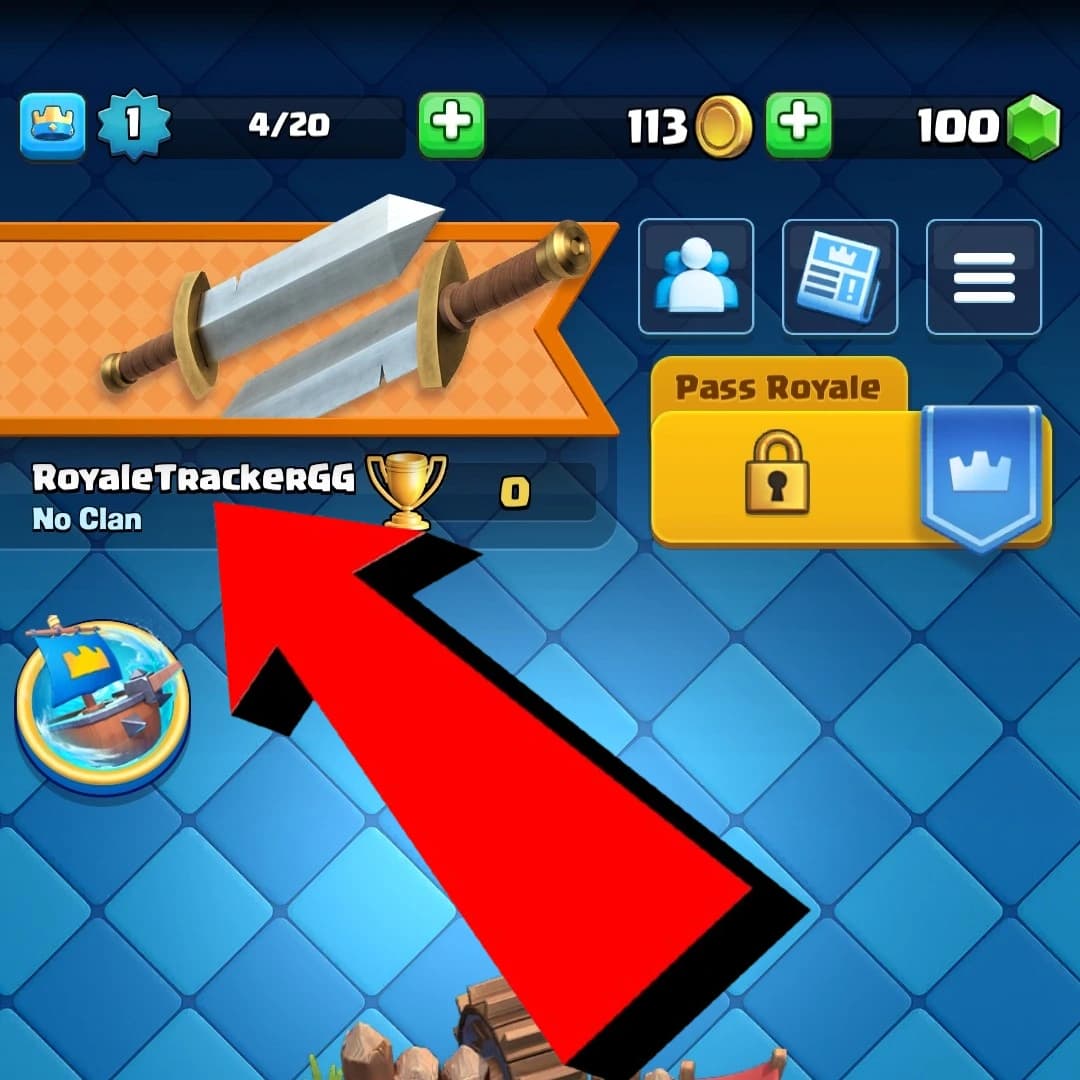
Step 1
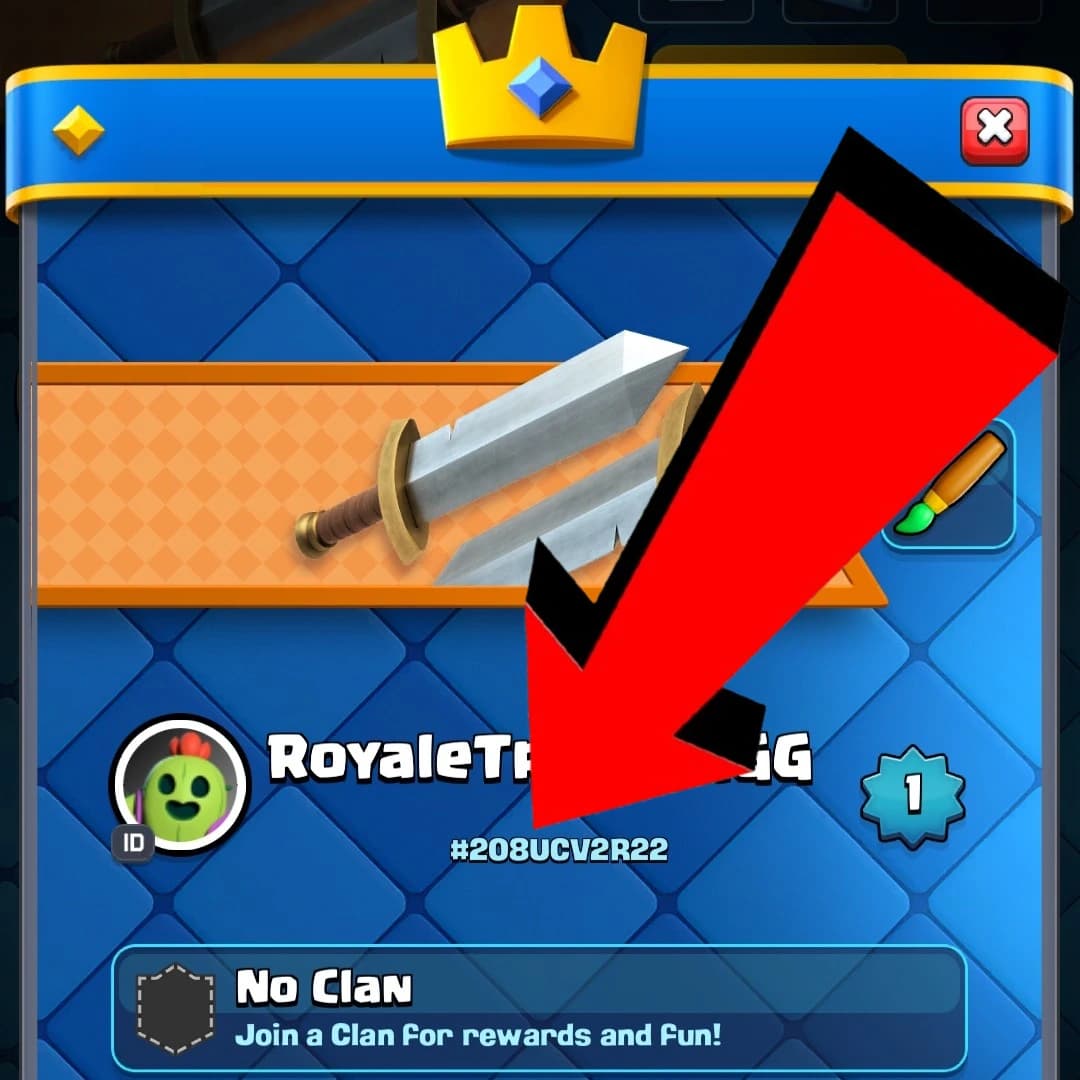
Step 2
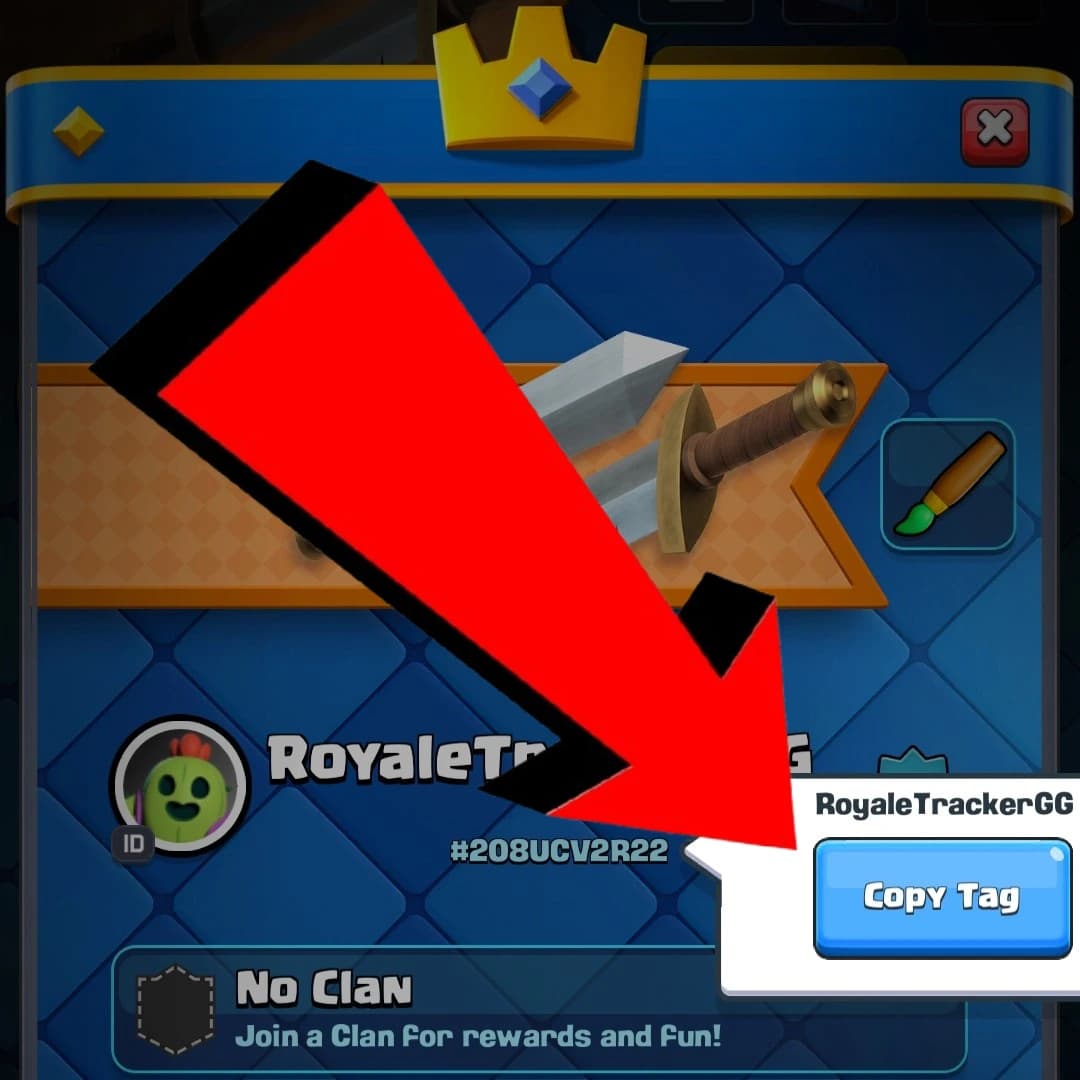
Step 3
Player tags never contain the letter O. If a tag looks like it has an O in it, it is always the number zero. Tags only use the characters 0, 2, 8, 9, P, Y, L, Q, G, R, J, C, U and V. If a search comes back empty, swapping O for 0 fixes it more often than anything else. The # symbol is optional when searching on RoyaleTracker, so 2PP and #2PP both work.
No. Your tag is assigned when the account is created and is permanent. Changing your name, level or clan never changes your tag.
Yes. A tag only exposes public game data, the same profile anyone you battle can already see. It cannot be used to access or modify your account.
If you battled them, open the battle in your battle log and tap their name to view their profile and tag. You can also search members inside any clan page.
Got your tag? See your full stats
Trophies, win rate, battle history, decks and card collection, free and instant.
Search Your Profile